I couldn’t find anything about my problem, that’s why I am posting here. Maybe someone has an idea what I am doing wrong.
I set up a docker instance (erikvl87) on my home-server in my local network. That did work. I can access it via curl and there is no limit to the amount of characters LanguageTool is checking.
I wanted to use LanguageTool with Scrivener (or any other macOS application which is supported by the desktop version of LanguageTool). I did download the app from the Homepage, installed it and set it up. Everything is working. I chose the option “other server” and did provide my local IP-adress of my home-server.
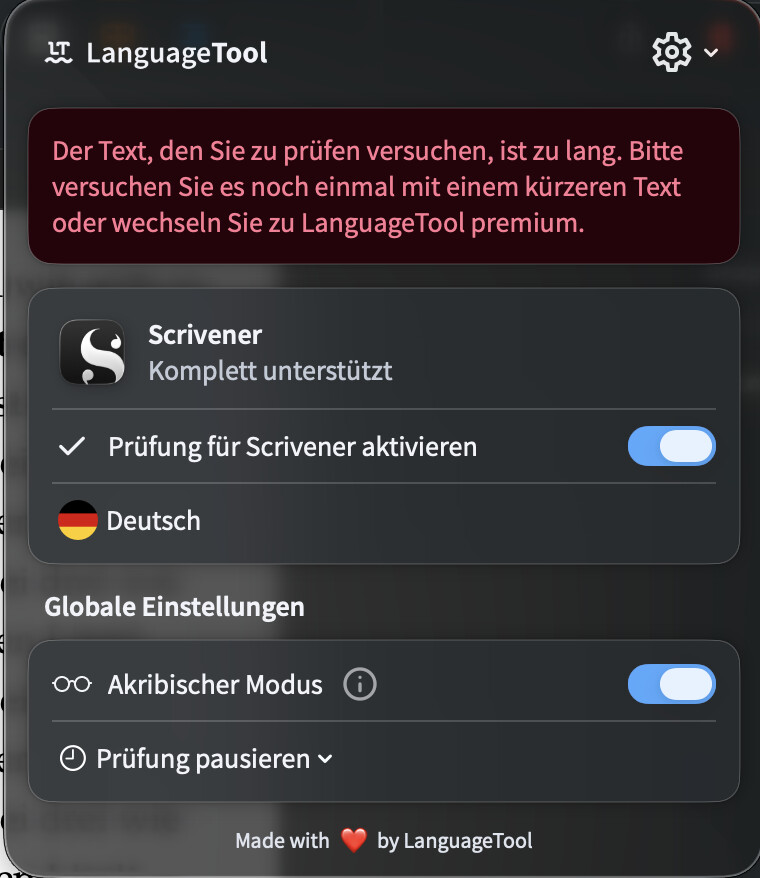
The desktop version is working with my local server and working with scrivener. It works until the page hits 1500 characters. If there are more than 1500 characters, the app gives me an error:
The text is too long and either I have to use a shorter text or use the premium subscription. Is this the expected behavior of the app? I mean, I am hosting the server locally and why is the app stopping at that character count? The moment it hits 1501 characters, the app stops communicating with my local server.
I did not find anything on the Homepage where this behavior is explained.
There should be a configuration file, maybe named `server.properties` or so, where you can set e.g. `maxTextLength=500000` to get a higher limit. Make sure to restart the LT server after making that change.
I also tested this on my Windows machine with the Opera extension connected to the same local server. There was no character limit there either.
The issue only occurs with the macOS desktop application. When the text exceeds 1,500 characters, the application does not send a /v2/check request to the server anymore.
For comparison, with the macOS desktop app the last request I see is:
After that, the server only receives unrelated requests like:
GET /v2/healthcheck
So it looks like the text is being limited or rejected before it reaches the server.
I don’t think this is a server configuration issue, but rather something in the macOS desktop client. Could there be another client-side limit or setting that controls this?
I am also having this exact problem: an unusually small character limit when connecting to the open source version of the server. Is it an intentional hobbling of the open source server version? It’s a real problem—1500 characters is nowhere near enough.