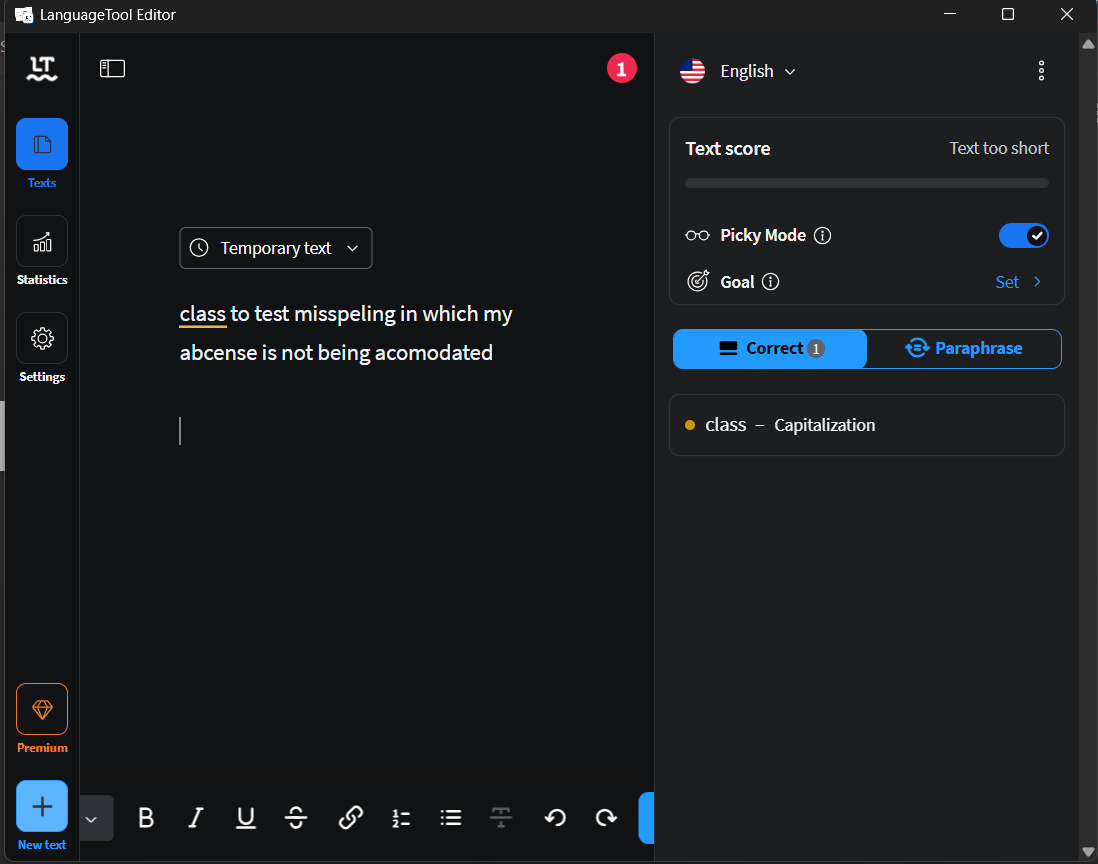
I have tried the chrome extension, the desktop application, and the webpage and they all seem incapable of catching spelling mistakes. As a language tool this can not be the reality. I am really hoping that there is some “Dont check spelling” button somewhere I have clicked because this can not be the actual full capability of this application.
Please someone tell me that there are some settings to tweak for this writing tool marketed as a spell checker to actually… Check the spelling..
The only sugestion being for capitalization is the icing on the cake.